 [](https://circleci.com/gh/borkdude/babashka/tree/master)
[](https://clojars.org/borkdude/babashka)
[](https://app.slack.com/client/T03RZGPFR/CLX41ASCS)
A Clojure [babushka](https://en.wikipedia.org/wiki/Headscarf) for the grey areas of Bash.
## Introduction
The main idea behind babashka is to leverage Clojure in places where you would
be using bash otherwise.
As one user described it:
> I’m quite at home in Bash most of the time, but there’s a substantial grey area of things that are too complicated to be simple in bash, but too simple to be worth writing a clj/s script for. Babashka really seems to hit the sweet spot for those cases.
### Goals
* Low latency Clojure scripting alternative to JVM Clojure.
* Easy installation: grab the self-contained binary and run. No JVM needed.
* Familiarity and portability:
- Scripts should be compatible with JVM Clojure as much as possible
- Scripts should be platform-independent as much as possible. Babashka offers
support for linux, macOS and Windows.
* Allow interop with commonly used classes like `java.io.File` and `System`
* Multi-threading support (`pmap`, `future`, `core.async`)
* Batteries included (tools.cli, cheshire, ...)
* Library support via popular tools like the `clojure` CLI
### Non-goals
* Performance1
* Provide a mixed Clojure/Bash DSL (see portability).
* Replace existing shells. Babashka is a tool you can use inside existing shells like bash and it is designed to play well with them. It does not aim to replace them.
1 Babashka uses [sci](https://github.com/borkdude/sci) for
interpreting Clojure. Sci implements a suffiently large subset of
Clojure. Interpreting code is in general not as performant as executing compiled
code. If your script takes more than a few seconds to run, Clojure on the JVM
may be a better fit, since the performance of Clojure on the JVM outweighs its
startup time penalty. Read more about the differences with Clojure
[here](#differences-with-clojure).
### Talk
To get an overview of babashka, you can watch this talk ([slides](https://speakerdeck.com/borkdude/babashka-and-the-small-clojure-interpreter-at-clojured-2020)):
[](https://www.youtube.com/watch?v=Nw8aN-nrdEk)
## Quickstart
``` shellsession
$ bash <(curl -s https://raw.githubusercontent.com/borkdude/babashka/master/install)
$ ls | bb --time -i '(filter #(-> % io/file .isDirectory) *input*)'
("doc" "resources" "sci" "script" "src" "target" "test")
bb took 4ms.
```
### Examples
Read the output from a shell command as a lazy seq of strings:
``` shell
$ ls | bb -i '(take 2 *input*)'
("CHANGES.md" "Dockerfile")
```
Read EDN from stdin and write the result to stdout:
``` shell
$ bb '(vec (dedupe *input*))' <<< '[1 1 1 1 2]'
[1 2]
```
Read more about input and output flags
[here](https://github.com/borkdude/babashka/#input-and-output-flags).
Execute a script. E.g. print the current time in California using the
`java.time` API:
File `pst.clj`:
``` clojure
#!/usr/bin/env bb
(def now (java.time.ZonedDateTime/now))
(def LA-timezone (java.time.ZoneId/of "America/Los_Angeles"))
(def LA-time (.withZoneSameInstant now LA-timezone))
(def pattern (java.time.format.DateTimeFormatter/ofPattern "HH:mm"))
(println (.format LA-time pattern))
```
``` shell
$ pst.clj
05:17
```
More examples can be found in the [gallery](#gallery).
## Status
Functionality regarding `clojure.core` and `java.lang` can be considered stable
and is unlikely to change. Changes may happen in other parts of babashka,
although we will try our best to prevent them. Always check the release notes or
[CHANGES.md](CHANGES.md) before upgrading.
## Installation
### Brew
Linux and macOS binaries are provided via brew.
Install:
brew install borkdude/brew/babashka
Upgrade:
brew upgrade babashka
### Arch (Linux)
`babashka` is [available](https://aur.archlinux.org/packages/babashka-bin/) in the [Arch User Repository](https://aur.archlinux.org). It can be installed using your favorite [AUR](https://aur.archlinux.org) helper such as
[yay](https://github.com/Jguer/yay), [yaourt](https://github.com/archlinuxfr/yaourt), [apacman](https://github.com/oshazard/apacman) and [pacaur](https://github.com/rmarquis/pacaur). Here is an example using `yay`:
yay -S babashka-bin
### Windows
On Windows you can install using [scoop](https://scoop.sh/) and the
[scoop-clojure](https://github.com/littleli/scoop-clojure) bucket.
### Installer script
Install via the installer script:
``` shellsession
$ bash <(curl -s https://raw.githubusercontent.com/borkdude/babashka/master/install)
```
By default this will install into `/usr/local/bin`. To change this, provide the directory name:
``` shellsession
$ bash <(curl -s https://raw.githubusercontent.com/borkdude/babashka/master/install) /tmp
```
### Download
You may also download a binary from
[Github](https://github.com/borkdude/babashka/releases). For linux there is a
static binary available which can be used on Alpine.
## Docker
Check out the image on [Docker hub](https://hub.docker.com/r/borkdude/babashka/).
## Usage
``` shellsession
Usage: bb [ -i | -I ] [ -o | -O ] [ --stream ] [--verbose]
[ ( --classpath | -cp ) ] [ --uberscript ]
[ ( --main | -m ) | -e | -f |
--repl | --socket-repl [:] | --nrepl-server [:] ]
[ arg* ]
Options:
--help, -h or -? Print this help text.
--version Print the current version of babashka.
-i Bind *input* to a lazy seq of lines from stdin.
-I Bind *input* to a lazy seq of EDN values from stdin.
-o Write lines to stdout.
-O Write EDN values to stdout.
--verbose Print entire stacktrace in case of exception.
--stream Stream over lines or EDN values from stdin. Combined with -i or -I *input* becomes a single value per iteration.
--uberscript Collect preloads, -e, -f and -m and all required namespaces from the classpath into a single executable file.
-e, --eval Evaluate an expression.
-f, --file Evaluate a file.
-cp, --classpath Classpath to use.
-m, --main Call the -main function from namespace with args.
--repl Start REPL. Use rlwrap for history.
--socket-repl Start socket REPL. Specify port (e.g. 1666) or host and port separated by colon (e.g. 127.0.0.1:1666).
--nrepl-server Start nREPL server. Specify port (e.g. 1667) or host and port separated by colon (e.g. 127.0.0.1:1667).
--time Print execution time before exiting.
-- Stop parsing args and pass everything after -- to *command-line-args*
If neither -e, -f, or --socket-repl are specified, then the first argument that is not parsed as a option is treated as a file if it exists, or as an expression otherwise.
Everything after that is bound to *command-line-args*.
```
The `clojure.core` functions are accessible without a namespace alias.
The following namespaces are required by default and available through the
pre-defined aliases in the `user` namespace. You may use `require` + `:as`
and/or `:refer` on these namespaces. If not all vars are available, they are
enumerated explicitly.
- `clojure.string` aliased as `str`
- `clojure.set` aliased as `set`
- `clojure.edn` aliased as `edn`:
- `read-string`
- `clojure.java.shell` aliased as `shell`
- `clojure.java.io` aliased as `io`:
- `as-relative-path`, `as-url`, `copy`, `delete-file`, `file`, `input-stream`,
`make-parents`, `output-stream`, `reader`, `resource`, `writer`
- `clojure.main`: `repl`
- [`clojure.core.async`](https://clojure.github.io/core.async/) aliased as
`async`.
- `clojure.stacktrace`
- `clojure.test`
- `clojure.pprint`: `pprint` (currently backed by [fipp](https://github.com/brandonbloom/fipp)'s `fipp.edn/pprint`)
- [`clojure.tools.cli`](https://github.com/clojure/tools.cli) aliased as `tools.cli`
- [`clojure.data.csv`](https://github.com/clojure/data.csv) aliased as `csv`
- [`cheshire.core`](https://github.com/dakrone/cheshire) aliased as `json`
- [`cognitect.transit`](https://github.com/cognitect/transit-clj) aliased as `transit`
- [`bencode.core`](https://github.com/nrepl/bencode) aliased as `bencode`: `read-bencode`, `write-bencode`.
A selection of java classes are available, see `babashka/impl/classes.clj`.
Babashka supports `import`: `(import clojure.lang.ExceptionInfo)`.
Babashka supports a subset of the `ns` form where you may use `:require` and `:import`:
``` shellsession
(ns foo
(:require [clojure.string :as str])
(:import clojure.lang.ExceptionInfo))
```
For the unsupported parts of the ns form, you may use [reader
conditionals](#reader-conditionals) to maintain compatibility with JVM Clojure.
### Input and output flags
In one-liners the `*input*` value may come in handy. It contains the input read from stdin as EDN by default. If you want to read in text, use the `-i` flag, which binds `*input*` to a lazy seq of lines of text. If you want to read multiple EDN values, use the `-I` flag. The `-o` option prints the result as lines of text. The `-O` option prints the result as lines of EDN values.
The following table illustrates the combination of options for commands of the form
echo "{{Input}}" | bb {{Input flags}} {{Output flags}} "*input*"
| Input | Input flags | Output flag | `*input*` | Output |
|----------------|-------------|-------------|---------------|----------|
| `{:a 1}`
[](https://circleci.com/gh/borkdude/babashka/tree/master)
[](https://clojars.org/borkdude/babashka)
[](https://app.slack.com/client/T03RZGPFR/CLX41ASCS)
A Clojure [babushka](https://en.wikipedia.org/wiki/Headscarf) for the grey areas of Bash.
## Introduction
The main idea behind babashka is to leverage Clojure in places where you would
be using bash otherwise.
As one user described it:
> I’m quite at home in Bash most of the time, but there’s a substantial grey area of things that are too complicated to be simple in bash, but too simple to be worth writing a clj/s script for. Babashka really seems to hit the sweet spot for those cases.
### Goals
* Low latency Clojure scripting alternative to JVM Clojure.
* Easy installation: grab the self-contained binary and run. No JVM needed.
* Familiarity and portability:
- Scripts should be compatible with JVM Clojure as much as possible
- Scripts should be platform-independent as much as possible. Babashka offers
support for linux, macOS and Windows.
* Allow interop with commonly used classes like `java.io.File` and `System`
* Multi-threading support (`pmap`, `future`, `core.async`)
* Batteries included (tools.cli, cheshire, ...)
* Library support via popular tools like the `clojure` CLI
### Non-goals
* Performance1
* Provide a mixed Clojure/Bash DSL (see portability).
* Replace existing shells. Babashka is a tool you can use inside existing shells like bash and it is designed to play well with them. It does not aim to replace them.
1 Babashka uses [sci](https://github.com/borkdude/sci) for
interpreting Clojure. Sci implements a suffiently large subset of
Clojure. Interpreting code is in general not as performant as executing compiled
code. If your script takes more than a few seconds to run, Clojure on the JVM
may be a better fit, since the performance of Clojure on the JVM outweighs its
startup time penalty. Read more about the differences with Clojure
[here](#differences-with-clojure).
### Talk
To get an overview of babashka, you can watch this talk ([slides](https://speakerdeck.com/borkdude/babashka-and-the-small-clojure-interpreter-at-clojured-2020)):
[](https://www.youtube.com/watch?v=Nw8aN-nrdEk)
## Quickstart
``` shellsession
$ bash <(curl -s https://raw.githubusercontent.com/borkdude/babashka/master/install)
$ ls | bb --time -i '(filter #(-> % io/file .isDirectory) *input*)'
("doc" "resources" "sci" "script" "src" "target" "test")
bb took 4ms.
```
### Examples
Read the output from a shell command as a lazy seq of strings:
``` shell
$ ls | bb -i '(take 2 *input*)'
("CHANGES.md" "Dockerfile")
```
Read EDN from stdin and write the result to stdout:
``` shell
$ bb '(vec (dedupe *input*))' <<< '[1 1 1 1 2]'
[1 2]
```
Read more about input and output flags
[here](https://github.com/borkdude/babashka/#input-and-output-flags).
Execute a script. E.g. print the current time in California using the
`java.time` API:
File `pst.clj`:
``` clojure
#!/usr/bin/env bb
(def now (java.time.ZonedDateTime/now))
(def LA-timezone (java.time.ZoneId/of "America/Los_Angeles"))
(def LA-time (.withZoneSameInstant now LA-timezone))
(def pattern (java.time.format.DateTimeFormatter/ofPattern "HH:mm"))
(println (.format LA-time pattern))
```
``` shell
$ pst.clj
05:17
```
More examples can be found in the [gallery](#gallery).
## Status
Functionality regarding `clojure.core` and `java.lang` can be considered stable
and is unlikely to change. Changes may happen in other parts of babashka,
although we will try our best to prevent them. Always check the release notes or
[CHANGES.md](CHANGES.md) before upgrading.
## Installation
### Brew
Linux and macOS binaries are provided via brew.
Install:
brew install borkdude/brew/babashka
Upgrade:
brew upgrade babashka
### Arch (Linux)
`babashka` is [available](https://aur.archlinux.org/packages/babashka-bin/) in the [Arch User Repository](https://aur.archlinux.org). It can be installed using your favorite [AUR](https://aur.archlinux.org) helper such as
[yay](https://github.com/Jguer/yay), [yaourt](https://github.com/archlinuxfr/yaourt), [apacman](https://github.com/oshazard/apacman) and [pacaur](https://github.com/rmarquis/pacaur). Here is an example using `yay`:
yay -S babashka-bin
### Windows
On Windows you can install using [scoop](https://scoop.sh/) and the
[scoop-clojure](https://github.com/littleli/scoop-clojure) bucket.
### Installer script
Install via the installer script:
``` shellsession
$ bash <(curl -s https://raw.githubusercontent.com/borkdude/babashka/master/install)
```
By default this will install into `/usr/local/bin`. To change this, provide the directory name:
``` shellsession
$ bash <(curl -s https://raw.githubusercontent.com/borkdude/babashka/master/install) /tmp
```
### Download
You may also download a binary from
[Github](https://github.com/borkdude/babashka/releases). For linux there is a
static binary available which can be used on Alpine.
## Docker
Check out the image on [Docker hub](https://hub.docker.com/r/borkdude/babashka/).
## Usage
``` shellsession
Usage: bb [ -i | -I ] [ -o | -O ] [ --stream ] [--verbose]
[ ( --classpath | -cp ) ] [ --uberscript ]
[ ( --main | -m ) | -e | -f |
--repl | --socket-repl [:] | --nrepl-server [:] ]
[ arg* ]
Options:
--help, -h or -? Print this help text.
--version Print the current version of babashka.
-i Bind *input* to a lazy seq of lines from stdin.
-I Bind *input* to a lazy seq of EDN values from stdin.
-o Write lines to stdout.
-O Write EDN values to stdout.
--verbose Print entire stacktrace in case of exception.
--stream Stream over lines or EDN values from stdin. Combined with -i or -I *input* becomes a single value per iteration.
--uberscript Collect preloads, -e, -f and -m and all required namespaces from the classpath into a single executable file.
-e, --eval Evaluate an expression.
-f, --file Evaluate a file.
-cp, --classpath Classpath to use.
-m, --main Call the -main function from namespace with args.
--repl Start REPL. Use rlwrap for history.
--socket-repl Start socket REPL. Specify port (e.g. 1666) or host and port separated by colon (e.g. 127.0.0.1:1666).
--nrepl-server Start nREPL server. Specify port (e.g. 1667) or host and port separated by colon (e.g. 127.0.0.1:1667).
--time Print execution time before exiting.
-- Stop parsing args and pass everything after -- to *command-line-args*
If neither -e, -f, or --socket-repl are specified, then the first argument that is not parsed as a option is treated as a file if it exists, or as an expression otherwise.
Everything after that is bound to *command-line-args*.
```
The `clojure.core` functions are accessible without a namespace alias.
The following namespaces are required by default and available through the
pre-defined aliases in the `user` namespace. You may use `require` + `:as`
and/or `:refer` on these namespaces. If not all vars are available, they are
enumerated explicitly.
- `clojure.string` aliased as `str`
- `clojure.set` aliased as `set`
- `clojure.edn` aliased as `edn`:
- `read-string`
- `clojure.java.shell` aliased as `shell`
- `clojure.java.io` aliased as `io`:
- `as-relative-path`, `as-url`, `copy`, `delete-file`, `file`, `input-stream`,
`make-parents`, `output-stream`, `reader`, `resource`, `writer`
- `clojure.main`: `repl`
- [`clojure.core.async`](https://clojure.github.io/core.async/) aliased as
`async`.
- `clojure.stacktrace`
- `clojure.test`
- `clojure.pprint`: `pprint` (currently backed by [fipp](https://github.com/brandonbloom/fipp)'s `fipp.edn/pprint`)
- [`clojure.tools.cli`](https://github.com/clojure/tools.cli) aliased as `tools.cli`
- [`clojure.data.csv`](https://github.com/clojure/data.csv) aliased as `csv`
- [`cheshire.core`](https://github.com/dakrone/cheshire) aliased as `json`
- [`cognitect.transit`](https://github.com/cognitect/transit-clj) aliased as `transit`
- [`bencode.core`](https://github.com/nrepl/bencode) aliased as `bencode`: `read-bencode`, `write-bencode`.
A selection of java classes are available, see `babashka/impl/classes.clj`.
Babashka supports `import`: `(import clojure.lang.ExceptionInfo)`.
Babashka supports a subset of the `ns` form where you may use `:require` and `:import`:
``` shellsession
(ns foo
(:require [clojure.string :as str])
(:import clojure.lang.ExceptionInfo))
```
For the unsupported parts of the ns form, you may use [reader
conditionals](#reader-conditionals) to maintain compatibility with JVM Clojure.
### Input and output flags
In one-liners the `*input*` value may come in handy. It contains the input read from stdin as EDN by default. If you want to read in text, use the `-i` flag, which binds `*input*` to a lazy seq of lines of text. If you want to read multiple EDN values, use the `-I` flag. The `-o` option prints the result as lines of text. The `-O` option prints the result as lines of EDN values.
The following table illustrates the combination of options for commands of the form
echo "{{Input}}" | bb {{Input flags}} {{Output flags}} "*input*"
| Input | Input flags | Output flag | `*input*` | Output |
|----------------|-------------|-------------|---------------|----------|
| `{:a 1}`
`{:a 2}` | | | `{:a 1}` | `{:a 1}` |
| hello
bye | `-i` | | `("hello" "bye")` | `("hello" "bye")` |
| hello
bye | `-i` | `-o` | `("hello" "bye")` | hello
bye |
| `{:a 1}`
`{:a 2}` | `-I` | | `({:a 1} {:a 2})` | `({:a 1} {:a 2})` |
| `{:a 1}`
`{:a 2}` | `-I` | `-O` | `({:a 1} {:a 2})` | `{:a 1}`
`{:a 2}` |
When combined with the `--stream` option, the expression is executed for each value in the input:
``` clojure
$ echo '{:a 1} {:a 2}' | bb --stream '*input*'
{:a 1}
{:a 2}
```
### Current file path
The var `*file*` contains the full path of the file that is currently being
executed:
``` shellsession
$ cat example.clj
(prn *file*)
$ bb example.clj
"/Users/borkdude/example.clj"
```
### Command-line arguments
Command-line arguments can be retrieved using `*command-line-args*`.
### Additional namespaces
#### babashka.classpath
Contains the function `add-classpath` which can be used to add to the classpath
dynamically:
``` clojure
(require '[babashka.classpath :refer [add-classpath]]
'[clojure.java.shell :refer [sh]])
(def medley-dep '{:deps {medley {:git/url "https://github.com/borkdude/medley"
:sha "91adfb5da33f8d23f75f0894da1defe567a625c0"}}})
(def cp (:out (sh "clojure" "-Spath" "-Sdeps" (str medley-dep))))
(add-classpath cp)
(require '[medley.core :as m])
(m/index-by :id [{:id 1} {:id 2}]) ;;=> {1 {:id 1}, 2 {:id 2}}
```
#### babashka.wait
Contains the functions: `wait-for-port` and `wait-for-path`.
Usage of `wait-for-port`:
``` clojure
(wait/wait-for-port "localhost" 8080)
(wait/wait-for-port "localhost" 8080 {:timeout 1000 :pause 1000})
```
Waits for TCP connection to be available on host and port. Options map supports `:timeout` and `:pause`. If `:timeout` is provided and reached, `:default`'s value (if any) is returned. The `:pause` option determines the time waited between retries.
Usage of `wait-for-path`:
``` clojure
(wait/wait-for-path "/tmp/wait-path-test")
(wait/wait-for-path "/tmp/wait-path-test" {:timeout 1000 :pause 1000})
```
Waits for file path to be available. Options map supports `:default`, `:timeout`
and `:pause`. If `:timeout` is provided and reached, `:default`'s value (if any)
is returned. The `:pause` option determines the time waited between retries.
The namespace `babashka.wait` is aliased as `wait` in the `user` namespace.
#### babashka.signal
Contains the function `signal/pipe-signal-received?`. Usage:
``` clojure
(signal/pipe-signal-received?)
```
Returns true if `PIPE` signal was received. Example:
``` shellsession
$ bb '((fn [x] (println x) (when (not (signal/pipe-signal-received?)) (recur (inc x)))) 0)' | head -n2
1
2
```
The namespace `babashka.signal` is aliased as `signal` in the `user` namespace.
#### babashka.curl
The namespace `babashka.curl` is a tiny wrapper around curl. It's aliased as
`curl` in the user namespace. See
[babashka.curl](https://github.com/borkdude/babashka.curl).
## Running a file
Scripts may be executed from a file using `-f` or `--file`:
``` shellsession
bb -f download_html.clj
```
Files can also be loaded inline using `load-file`:
``` shellsession
bb '(load-file "script.clj")'
```
Using `bb` with a shebang also works:
``` clojure
#!/usr/bin/env bb
(defn get-url [url]
(println "Fetching url:" url)
(let [{:keys [:exit :err :out]} (shell/sh "curl" "-sS" url)]
(if (zero? exit) out
(do (println "ERROR:" err)
(System/exit 1)))))
(defn write-html [file html]
(println "Writing file:" file)
(spit file html))
(let [[url file] *command-line-args*]
(when (or (empty? url) (empty? file))
(println "Usage: ")
(System/exit 1))
(write-html file (get-url url)))
(System/exit 0)
```
``` shellsession
$ ./download_html.clj
Usage:
$ ./download_html.clj https://www.clojure.org /tmp/clojure.org.html
Fetching url: https://www.clojure.org
Writing file: /tmp/clojure.org.html
```
If `/usr/bin/env` doesn't work for you, you can use the following workaround:
``` shellsession
$ cat script.clj
#!/bin/sh
#_(
"exec" "bb" "$0" hello "$@"
)
(prn *command-line-args*)
./script.clj 1 2 3
("hello" "1" "2" "3")
```
## Preloads
The environment variable `BABASHKA_PRELOADS` allows to define code that will be
available in all subsequent usages of babashka.
``` shellsession
BABASHKA_PRELOADS='(defn foo [x] (+ x 2))'
BABASHKA_PRELOADS=$BABASHKA_PRELOADS' (defn bar [x] (* x 2))'
export BABASHKA_PRELOADS
```
Note that you can concatenate multiple expressions. Now you can use these functions in babashka:
``` shellsession
$ bb '(-> (foo *input*) bar)' <<< 1
6
```
You can also preload an entire file using `load-file`:
``` shellsession
export BABASHKA_PRELOADS='(load-file "my_awesome_prelude.clj")'
```
Note that `*input*` is not available in preloads.
## Classpath
Babashka accepts a `--classpath` option that will be used to search for
namespaces and load them:
``` clojure
$ cat src/my/namespace.clj
(ns my.namespace)
(defn -main [& _args]
(println "Hello from my namespace!"))
$ bb --classpath src --main my.namespace
Hello from my namespace!
```
Note that you can use the `clojure` tool to produce classpaths and download dependencies:
``` shellsession
$ cat deps.edn
{:deps
{my_gist_script
{:git/url "https://gist.github.com/borkdude/263b150607f3ce03630e114611a4ef42"
:sha "cfc761d06dfb30bb77166b45d439fe8fe54a31b8"}}
:aliases {:my-script {:main-opts ["-m" "my-gist-script"]}}}
$ CLASSPATH=$(clojure -Spath)
$ bb --classpath "$CLASSPATH" --main my-gist-script
Hello from gist script!
```
If there is no `--classpath` argument, the `BABASHKA_CLASSPATH` environment
variable will be used:
``` shellsession
$ export BABASHKA_CLASSPATH=$(clojure -Spath)
$ export BABASHKA_PRELOADS="(require '[my-gist-script])"
$ bb "(my-gist-script/-main)"
Hello from gist script!
```
Also see the
[babashka.classpath](https://github.com/borkdude/babashka/#babashkaclasspath)
namespace which allows dynamically adding to the classpath.
### Deps.clj
The [`deps.clj`](https://github.com/borkdude/deps.clj/) script can be used to work with `deps.edn`-based projects:
``` shell
$ deps.clj -A:my-script -Scommand "bb -cp {{classpath}} {{main-opts}}"
Hello from gist script!
```
Create these aliases for brevity:
``` shell
$ alias bbk='deps.clj -Scommand "bb -cp {{classpath}} {{main-opts}}"'
$ alias babashka='rlwrap deps.clj -Scommand "bb -cp {{classpath}} {{main-opts}}"'
$ bbk -A:my-script
Hello from gist script!
$ babashka
Babashka v0.0.58 REPL.
Use :repl/quit or :repl/exit to quit the REPL.
Clojure rocks, Bash reaches.
user=> (require '[my-gist-script :as mgs])
nil
user=> (mgs/-main)
Hello from gist script!
nil
```
## Uberscript
The `--uberscript` option collects the expressions in
`BABASHKA_PRELOADS`, the command line expression or file, the main entrypoint
and all required namespaces from the classpath into a single file. This can be
convenient for debugging and deployment.
Given the `deps.edn` from above:
``` clojure
$ deps.clj -A:my-script -Scommand "bb -cp {{classpath}} {{main-opts}} --uberscript my-script.clj"
$ cat my-script.clj
(ns my-gist-script)
(defn -main [& args]
(println "Hello from gist script!"))
(ns user (:require [my-gist-script]))
(apply my-gist-script/-main *command-line-args*)
$ bb my-script.clj
Hello from gist script!
```
## Parsing command line arguments
Babashka ships with `clojure.tools.cli`:
``` clojure
(require '[clojure.tools.cli :refer [parse-opts]])
(def cli-options
;; An option with a required argument
[["-p" "--port PORT" "Port number"
:default 80
:parse-fn #(Integer/parseInt %)
:validate [#(< 0 % 0x10000) "Must be a number between 0 and 65536"]]
["-h" "--help"]])
(:options (parse-opts *command-line-args* cli-options))
```
``` shellsession
$ bb script.clj
{:port 80}
$ bb script.clj -h
{:port 80, :help true}
```
## Reader conditionals
Babashka supports reader conditionals by taking either the `:bb` or `:clj`
branch, whichever comes first. NOTE: the `:clj` branch behavior was added in
version 0.0.71, before that version the `:clj` branch was ignored.
``` clojure
$ bb "#?(:bb :hello :clj :bye)"
:hello
$ bb "#?(:clj :bye :bb :hello)"
:bye
$ bb "[1 2 #?@(:bb [] :clj [1])]"
[1 2]
```
## Running tests
Babashka bundles `clojure.test`. To make CI scripts fail you can use a simple
runner like this:
``` shell
#!/usr/bin/env bash
bb -cp "src:test:resources" \
-e "(require '[clojure.test :as t] '[borkdude.deps-test])
(let [{:keys [:fail :error]} (t/run-tests 'borkdude.deps-test)]
(System/exit (+ fail error)))"
```
## REPL
Babashka supports both a REPL and socket REPL. To start the REPL, type:
``` shell
$ bb --repl
```
To get history with up and down arrows, use `rlwrap`:
``` shell
$ rlwrap bb --repl
```
To start the socket REPL you can do this:
``` shellsession
$ bb --socket-repl 1666
Babashka socket REPL started at localhost:1666
```
Now you can connect with your favorite socket REPL client:
``` shellsession
$ rlwrap nc 127.0.0.1 1666
Babashka v0.0.14 REPL.
Use :repl/quit or :repl/exit to quit the REPL.
Clojure rocks, Bash reaches.
bb=> (+ 1 2 3)
6
bb=> :repl/quit
$
```
Editor plugins offering auto-completion support when connected to a babashka socket REPL:
- Emacs: [inf-clojure](https://github.com/clojure-emacs/inf-clojure):
To connect:
`M-x inf-clojure-connect localhost 1666`
Before evaluating from a Clojure buffer:
`M-x inf-clojure-minor-mode`
- Atom: [chlorine](https://github.com/mauricioszabo/atom-chlorine)
- Vim: [vim-iced](https://github.com/liquidz/vim-iced)
## Spawning and killing a process
Use the `java.lang.ProcessBuilder` class.
Example:
``` clojure
user=> (def ws (-> (ProcessBuilder. ["python" "-m" "SimpleHTTPServer" "1777"]) (.start)))
#'user/ws
user=> (wait/wait-for-port "localhost" 1777)
{:host "localhost", :port 1777, :took 2}
user=> (.destroy ws)
nil
```
Also see this [example](examples/process_builder.clj).
## Async
In addition to `future`, `pmap`, `promise` and friends, you may use the
`clojure.core.async` namespace for asynchronous scripting. The following example
shows how to get first available value from two different processes:
``` clojure
bb '
(defn async-command [& args]
(async/thread (apply shell/sh "bash" "-c" args)))
(-> (async/alts!! [(async-command "sleep 2 && echo process 1")
(async-command "sleep 1 && echo process 2")])
first :out str/trim println)'
process 2
```
Note: the `go` macro is available for compatibility with JVM programs, but the
implementation maps to `clojure.core.async/thread` and the single exclamation
mark operations (`!`, etc.) map to the double exclamation mark operations
(`!!`, etc.). It will not "park" threads, like on the JVM.
## HTTP
For making HTTP requests you can use:
- [babashka.curl](https://github.com/borkdude/babashka.curl). This library is
included with babashka and aliased as `curl` in the user namespace.
- `slurp` for simple `GET` requests
- [clj-http-lite](https://github.com/borkdude/clj-http-lite) as a library.
- `clojure.java.shell` or `java.lang.ProcessBuilder` for shelling out to your
favorite command line http client
### HTTP over Unix sockets
This can be useful for talking to Docker:
``` clojure
(require '[clojure.java.shell :refer [sh]])
(require '[cheshire.core :as json])
(-> (sh "curl" "--silent"
"--no-buffer" "--unix-socket"
"/var/run/docker.sock"
"http://localhost/images/json")
:out
(json/parse-string true)
first
:RepoTags) ;;=> ["borkdude/babashka:latest"]
```
## Bencode
Babashka comes with the [nrepl/bencode](https://github.com/nrepl/bencode)
library which allows you to read and write bencode messages to a socket. A
simple example which evaluates a Clojure expression on an nREPL server started
with `lein repl`:
``` clojure
(ns nrepl-client
(:require [bencode.core :as b]))
(defn nrepl-eval [port expr]
(let [s (java.net.Socket. "localhost" port)
out (.getOutputStream s)
in (java.io.PushbackInputStream. (.getInputStream s))
_ (b/write-bencode out {"op" "eval" "code" expr})
bytes (get (b/read-bencode in) "value")]
(String. bytes)))
(nrepl-eval 52054 "(+ 1 2 3)") ;;=> "6"
```
## Differences with Clojure
Babashka is implemented using the [Small Clojure
Interpreter](https://github.com/borkdude/sci). This means that a snippet or
script is not compiled to JVM bytecode, but executed form by form by a runtime
which implements a sufficiently large subset of Clojure. Babashka is compiled to
a native binary using [GraalVM](https://github.com/oracle/graal). It comes with
a selection of built-in namespaces and functions from Clojure and other useful
libraries. The data types (numbers, strings, persistent collections) are the
same. Multi-threading is supported (`pmap`, `future`).
Differences with Clojure:
- A pre-selected set of Java classes are supported. You cannot add Java classes
at runtime.
- Interpretation comes with overhead. Therefore tight loops are likely slower
than in Clojure on the JVM. In general interpretation yields slower programs
than compiled programs.
- No support for unboxed types.
## External resources
### Tools and libraries
The following libraries are known to work with Babashka:
#### [deps.clj](https://github.com/borkdude/deps.clj)
A port of the [clojure](https://github.com/clojure/brew-install/) bash script to
Clojure / babashka.
#### [spartan.spec](https://github.com/borkdude/spartan.spec/)
An babashka-compatible implementation of `clojure.spec.alpha`.
#### [missing.test.assertions](https://github.com/borkdude/missing.test.assertions)
This library checks if no assertions have been made in a test:
``` shell
$ export BABASHKA_CLASSPATH=$(clojure -Spath -Sdeps '{:deps {borkdude/missing.test.assertions {:git/url "https://github.com/borkdude/missing.test.assertions" :sha "603cb01bee72fb17addacc53c34c85612684ad70"}}}')
$ lein bb "(require '[missing.test.assertions] '[clojure.test :as t]) (t/deftest foo) (t/run-tests)"
Testing user
WARNING: no assertions made in test foo
Ran 1 tests containing 0 assertions.
0 failures, 0 errors.
{:test 1, :pass 0, :fail 0, :error 0, :type :summary}
```
#### [medley](https://github.com/weavejester/medley/)
Requires `bb` >= v0.0.71. Latest coordinates checked with with bb:
``` clojure
{:git/url "https://github.com/weavejester" :sha "a4e5fb5383f5c0d83cb2d005181a35b76d8a136d"}
```
Example:
``` shell
$ export BABASHKA_CLASSPATH=$(clojure -Spath -Sdeps '{:deps {medley {:git/url "https://github.com/weavejester" :sha "a4e5fb5383f5c0d83cb2d005181a35b76d8a136d"}}}')
$ bb -e "(require '[medley.core :as m]) (m/index-by :id [{:id 1} {:id 2}])"
{1 {:id 1}, 2 {:id 2}}
```
#### [clj-http-lite](https://github.com/borkdude/clj-http-lite)
This fork does not depend on any other libraries. Example:
``` shell
$ export BABASHKA_CLASSPATH="$(clojure -Sdeps '{:deps {clj-http-lite {:git/url "https://github.com/borkdude/clj-http-lite" :sha "f44ebe45446f0f44f2b73761d102af3da6d0a13e"}}}' -Spath)"
$ bb "(require '[clj-http.lite.client :as client]) (:status (client/get \"https://www.clojure.org\"))"
200
```
#### [limit-break](https://github.com/technomancy/limit-break)
A debug REPL library.
Latest coordinates checked with with bb:
``` clojure
{:git/url "https://github.com/technomancy/limit-break" :sha "050fcfa0ea29fe3340927533a6fa6fffe23bfc2f" :deps/manifest :deps}
```
Example:
``` shell
$ export BABASHKA_CLASSPATH="$(clojure -Sdeps '{:deps {limit-break {:git/url "https://github.com/technomancy/limit-break" :sha "050fcfa0ea29fe3340927533a6fa6fffe23bfc2f" :deps/manifest :deps}}}' -Spath)"
$ bb "(require '[limit.break :as lb]) (let [x 1] (lb/break))"
Babashka v0.0.49 REPL.
Use :repl/quit or :repl/exit to quit the REPL.
Clojure rocks, Bash reaches.
break> x
1
```
#### [clojure-csv](https://github.com/davidsantiago/clojure-csv)
A library for reading and writing CSV files. Note that babashka already comes
with `clojure.data.csv`, but in case you need this other library, this is how
you can use it:
``` shell
export BABASHKA_CLASSPATH="$(clojure -Sdeps '{:deps {clojure-csv {:mvn/version "RELEASE"}}}' -Spath)"
./bb -e "
(require '[clojure-csv.core :as csv])
(csv/write-csv (csv/parse-csv \"a,b,c\n1,2,3\"))
"
```
#### [regal](https://github.com/lambdaisland/regal)
Requires `bb` >= v0.0.71. Latest coordinates checked with with bb:
``` clojure
{:git/url "https://github.com/lambdaisland/regal" :sha "d4e25e186f7b9705ebb3df6b21c90714d278efb7"}
```
Example:
``` shell
$ export BABASHKA_CLASSPATH=$(clojure -Spath -Sdeps '{:deps {regal {:git/url "https://github.com/lambdaisland/regal" :sha "d4e25e186f7b9705ebb3df6b21c90714d278efb7"}}}')
$ bb -e "(require '[lambdaisland.regal :as regal]) (regal/regex [:* \"ab\"])"
#"(?:\Qab\E)*"
```
#### [4bb](https://github.com/porkostomus/4bb)
4clojure as a babashka script!
#### [cprop](https://github.com/tolitius/cprop/)
A clojure configuration libary. Latest test version: `"0.1.16"`.
#### [comb](https://github.com/weavejester/comb)
Simple templating system for Clojure. Latest tested version: `"0.1.1"`.
``` clojure
$ export BABASHKA_CLASSPATH=$(clojure -Spath -Sdeps '{:deps {comb {:mvn/version "0.1.1"}}}')
$ rlwrap bb
...
user=> (require '[comb.template :as template])
user=> (template/eval "<% (dotimes [x 3] %>foo<% ) %>")
"foofoofoo"
user=> (template/eval "Hello <%= name %>" {:name "Alice"})
"Hello Alice"
user=> (def hello (template/fn [name] "Hello <%= name %>"))
user=> (hello "Alice")
"Hello Alice"
```
#### [nubank/docopt](https://github.com/nubank/docopt.clj#babashka)
Docopt implementation in Clojure, compatible with babashka.
#### [babashka lambda layer](https://github.com/dainiusjocas/babashka-lambda-layer)
Babashka Lambda runtime packaged as a Lambda layer.
#### [Release on push Github action](https://github.com/rymndhng/release-on-push-action)
Github Action to create a git tag + release when pushed to master. Written in
babashka.
## Package babashka script as a AWS Lambda
AWS Lambda runtime doesn't support signals, therefore babashka has to disable
handling of the SIGPIPE. This can be done by setting
`BABASHKA_DISABLE_PIPE_SIGNAL_HANDLER` to `true`.
### Articles, podcasts and videos
- [ClojureScript podcast](https://soundcloud.com/user-959992602/s3-e5-babashka-with-michiel-borkent) with Jacek Schae interviewing Michiel Borkent
- [Babashka talk at ClojureD](https://www.youtube.com/watch?v=Nw8aN-nrdEk) ([slides](https://speakerdeck.com/borkdude/babashka-and-the-small-clojure-interpreter-at-clojured-2020)) by Michiel Borkent
- [Babashka: a quick example](https://juxt.pro/blog/posts/babashka.html) by Malcolm Sparks
- [Clojure Start Time in 2019](https://stuartsierra.com/2019/12/21/clojure-start-time-in-2019) by Stuart Sierra
- [Advent of Random
Hacks](https://lambdaisland.com/blog/2019-12-19-advent-of-parens-19-advent-of-random-hacks)
by Arne Brasseur
- [Clojure in the Shell](https://lambdaisland.com/blog/2019-12-05-advent-of-parens-5-clojure-in-the-shell) by Arne Brasseur
- [Clojure Tool](https://purelyfunctional.tv/issues/purelyfunctional-tv-newsletter-351-clojure-tool-babashka/) by Eric Normand
## [Developing Babashka](doc/dev.md)
## Related projects
- [planck](https://planck-repl.org/)
- [joker](https://github.com/candid82/joker)
- [closh](https://github.com/dundalek/closh)
- [lumo](https://github.com/anmonteiro/lumo)
## Gallery
Here's a gallery of more useful examples. Do you have a useful example? PR
welcome!
### Delete a list of files returned by a Unix command
```
find . | grep conflict | bb -i '(doseq [f *input*] (.delete (io/file f)))'
```
### Calculate aggregate size of directory
``` clojure
#!/usr/bin/env bb
(as-> (io/file (or (first *command-line-args*) ".")) $
(file-seq $)
(map #(.length %) $)
(reduce + $)
(/ $ (* 1024 1024))
(println (str (int $) "M")))
```
``` shellsession
$ dir-size
130M
$ dir-size ~/Dropbox/bin
233M
```
### Shuffle the lines of a file
``` shellsession
$ cat /tmp/test.txt
1 Hello
2 Clojure
3 Babashka
4 Goodbye
$ < /tmp/test.txt bb -io '(shuffle *input*)'
3 Babashka
2 Clojure
4 Goodbye
1 Hello
```
### Fetch latest Github release tag
``` shell
(require '[clojure.java.shell :refer [sh]]
'[cheshire.core :as json])
(defn babashka-latest-version []
(-> (sh "curl" "https://api.github.com/repos/borkdude/babashka/tags")
:out
(json/parse-string true)
first
:name))
(babashka-latest-version) ;;=> "v0.0.73"
```
### Generate deps.edn entry for a gitlib
``` clojure
#!/usr/bin/env bb
(require '[clojure.java.shell :refer [sh]]
'[clojure.string :as str])
(let [[username project branch] *command-line-args*
branch (or branch "master")
url (str "https://github.com/" username "/" project)
sha (-> (sh "git" "ls-remote" url branch)
:out
(str/split #"\s")
first)]
{:git/url url
:sha sha})
```
``` shell
$ gitlib.clj nate fs
{:git/url "https://github.com/nate/fs", :sha "75b9fcd399ac37cb4f9752a4c7a6755f3fbbc000"}
$ clj -Sdeps "{:deps {fs $(gitlib.clj nate fs)}}" \
-e "(require '[nate.fs :as fs]) (fs/creation-time \".\")"
#object[java.nio.file.attribute.FileTime 0x5c748168 "2019-07-05T14:06:26Z"]
```
### View download statistics from Clojars
Contributed by [@plexus](https://github.com/plexus).
``` shellsession
$ curl https://clojars.org/stats/all.edn |
bb -o '(for [[[group art] counts] *input*] (str (reduce + (vals counts)) " " group "/" art))' |
sort -rn |
less
14113842 clojure-complete/clojure-complete
9065525 clj-time/clj-time
8504122 cheshire/cheshire
...
```
### Portable tree command
See [examples/tree.clj](https://github.com/borkdude/babashka/blob/master/examples/tree.clj).
``` shellsession
$ clojure -Sdeps '{:deps {org.clojure/tools.cli {:mvn/version "0.4.2"}}}' examples/tree.clj src
src
└── babashka
├── impl
│ ├── tools
│ │ └── cli.clj
...
$ examples/tree.clj src
src
└── babashka
├── impl
│ ├── tools
│ │ └── cli.clj
...
```
### List outdated maven dependencies
See [examples/outdated.clj](https://github.com/borkdude/babashka/blob/master/examples/outdated.clj).
Inspired by an idea from [@seancorfield](https://github.com/seancorfield).
``` shellsession
$ cat /tmp/deps.edn
{:deps {cheshire {:mvn/version "5.8.1"}
clj-http {:mvn/version "3.4.0"}}}
$ examples/outdated.clj /tmp/deps.edn
clj-http/clj-http can be upgraded from 3.4.0 to 3.10.0
cheshire/cheshire can be upgraded from 5.8.1 to 5.9.0
```
### Convert project.clj to deps.edn
Contributed by [@plexus](https://github.com/plexus).
``` shellsession
$ cat project.clj |
sed -e 's/#=//g' -e 's/~@//g' -e 's/~//g' |
bb '(let [{:keys [dependencies source-paths resource-paths]} (apply hash-map (drop 3 *input*))]
{:paths (into source-paths resource-paths)
:deps (into {} (for [[d v] dependencies] [d {:mvn/version v}]))}) ' |
jet --pretty > deps.edn
```
A script with the same goal can be found [here](https://gist.github.com/swlkr/3f346c66410e5c60c59530c4413a248e#gistcomment-3232605).
### Print current time in California
See [examples/pst.clj](https://github.com/borkdude/babashka/blob/master/examples/pst.clj)
### Tiny http server
See [examples/http_server.clj](https://github.com/borkdude/babashka/blob/master/examples/http_server.clj)
Original by [@souenzzo](https://gist.github.com/souenzzo/a959a4c5b8c0c90df76fe33bb7dfe201)
### Print random docstring
See [examples/random_doc.clj](https://github.com/borkdude/babashka/blob/master/examples/random_doc.clj)
``` shell
$ examples/random_doc.clj
-------------------------
clojure.core/ffirst
([x])
Same as (first (first x))
```
### Cryptographic hash
`sha1.clj`:
``` clojure
#!/usr/bin/env bb
(defn sha1
[s]
(let [hashed (.digest (.getInstance java.security.MessageDigest "SHA-1")
(.getBytes s))
sw (java.io.StringWriter.)]
(binding [*out* sw]
(doseq [byte hashed]
(print (format "%02X" byte))))
(str sw)))
(sha1 (first *command-line-args*))
```
``` shell
$ sha1.clj babashka
"0AB318BE3A646EEB1E592781CBFE4AE59701EDDF"
```
### Package script as Docker image
`Dockerfile`:
``` dockerfile
FROM borkdude/babashka
RUN echo $'\
(println "Your command line args:" *command-line-args*)\
'\
>> script.clj
ENTRYPOINT ["bb", "script.clj"]
```
``` shell
$ docker build . -t script
...
$ docker run --rm script 1 2 3
Your command line args: (1 2 3)
```
### Extract single file from zip
``` clojure
;; Given the following:
;; $ echo 'contents' > file
;; $ zip zipfile.zip file
;; $ rm file
;; we extract the single file from the zip archive using java.nio:
(import '[java.nio.file Files FileSystems CopyOption])
(let [zip-file (io/file "zipfile.zip")
file (io/file "file")
fs (FileSystems/newFileSystem (.toPath zip-file) nil)
file-in-zip (.getPath fs "file" (into-array String []))]
(Files/copy file-in-zip (.toPath file)
(into-array CopyOption [])))
```
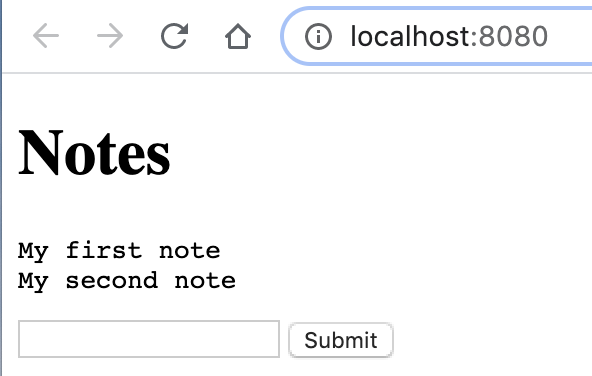
### Note taking app
See
[examples/notes.clj](https://github.com/borkdude/babashka/blob/master/examples/notes.clj). This
is a variation on the
[http-server](https://github.com/borkdude/babashka/#tiny-http-server)
example. If you get prompted with a login, use `admin`/`admin`.
 ## Thanks
- [adgoji](https://www.adgoji.com/) for financial support
- [CircleCI](https://circleci.com/) for CI and additional support
- [Nikita Prokopov](https://github.com/tonsky) for the logo
- [contributors](https://github.com/borkdude/babashka/graphs/contributors) and
other users posting issues with bug reports and ideas
## License
Copyright © 2019-2020 Michiel Borkent
Distributed under the EPL License. See LICENSE.
This project contains code from:
- Clojure, which is licensed under the same EPL License.
## Thanks
- [adgoji](https://www.adgoji.com/) for financial support
- [CircleCI](https://circleci.com/) for CI and additional support
- [Nikita Prokopov](https://github.com/tonsky) for the logo
- [contributors](https://github.com/borkdude/babashka/graphs/contributors) and
other users posting issues with bug reports and ideas
## License
Copyright © 2019-2020 Michiel Borkent
Distributed under the EPL License. See LICENSE.
This project contains code from:
- Clojure, which is licensed under the same EPL License.